
I’ve seen dithering everywhere for a while now, I quite like the look and have used p5.Riso.js to make a webcam effect before.
Looking around, I found a client-side atkinson dithering script with an option to adjust the crunchy-ness of an image and maintain pixel ratio.
Following Chris Coyier breakdown on CodePen of Andrew Stephens web component dithering…
I fashioned a WordPress friendly method that converts an image block into a <as-dithered-image> web-component while still maintaining the <figure> wrapper to allow for captions and other block styling within Gutenberg.
Using pattern blocks, I can include the dithering script when needed and adjust images using .dither to enable the effect.
With no direct access to the web component from the editor, options are handled by classes for .crunch-("pixel", or a range from 1-4) which adjusts pixel size AND/OR .cutoff-(0-100) to adjust asset brightness into a float between 0 and 1.

.cutoff-0default.cutoff-100<as-dithered-image> defaults are .crunch-auto and .cutoff-0.5, follow the usage and attributes for detailed specifics.
I modified the original script to handle transparency out of the box. So if an image has transparency, it will render as seen rather than defining color values. The modification works by ignoring pixel color values with alpha channel 0 (transparent) from being output as black, the default color.
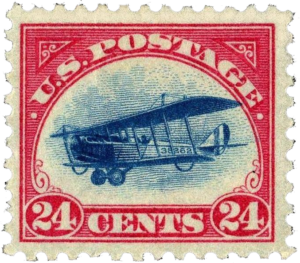
It’s not perfect, as <canvas> elements with relative sizing can causes weird behavior, especially when maintaining absolute pixel-ratios for dithering. In the future I want to add the ability to maintain an images original color sampling (left) and perhaps, color filters, like sepia and adjust hue/saturation, would be fun to explore.
Feel free to view page source to inspect the dithering script this site uses. You can also view the dithered image, from the weblog, that inspired the addition of this feature.
Now, for fun, let’s crunch!
.crunch-1.crunch-4There is one important-major drawback to mention, the dithered items (because they aren’t images but rather canvas) will not appear if a visitor uses a reader. The <canvas> elements do not render. However, the original images appear as they would in the editor, in the RSS feed, and are delivered in their original un-dither-styled format. So, I would only use the dithering effect solely for aesthetic purposes.
Added, max crunching (4) results in an unappealing border in some browsers.